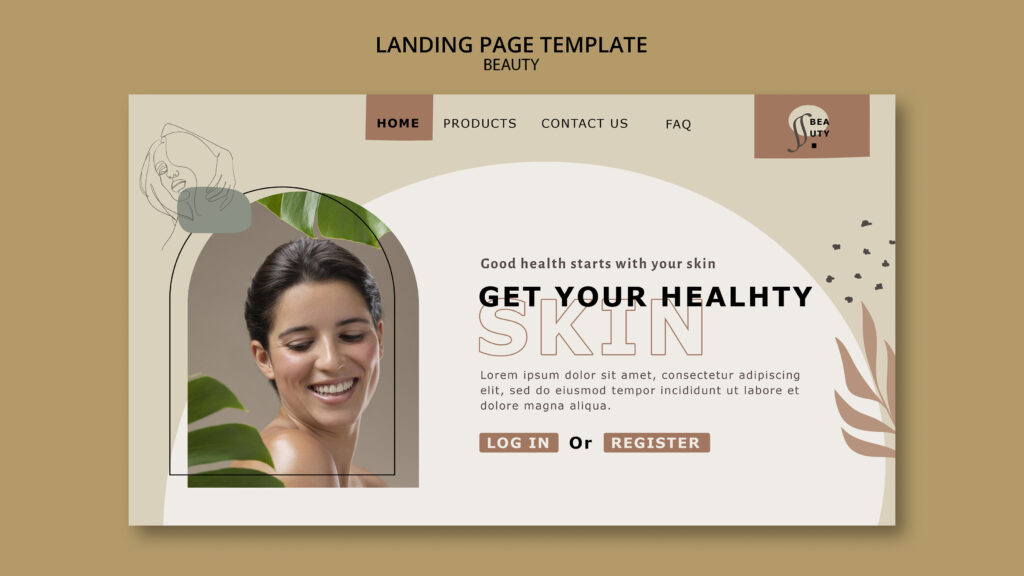
A landing page for clinics is a page built around one goal and one audience, such as booking a consultation for one treatment. Visitors “land” on it from an ad, an email, a social post, a map listing, or a search. Because the page matches what they expected, the right visitors act, and the wrong ones leave. This guide explains what a landing page is, how it differs from other pages, and how to build one that brings qualified enquiries.
What a Landing Page Is
Technically, any page a visitor first arrives on is a landing page. In marketing, though, the term usually means a focused page created for a specific campaign or purpose.
A landing page typically has these traits:
- One goal: For example, “Request a consultation”.
- One audience: For example, local women interested in skin rejuvenation.
- One message: It repeats what the ad, email, or post promised.
- Few distractions: Menus and links are limited, so visitors focus on the goal.
- One clear action: A single main button or form.
In contrast, a homepage serves many audiences and goals at once.
Landing Page vs Homepage vs Treatment Page
These pages overlap, so the differences help.
| Page type | Main job | Typical visitors | Navigation |
|---|---|---|---|
| Homepage | Introduce the whole clinic | Everyone | Full menu |
| Treatment page | Explain one treatment in depth, and rank in search | People researching or comparing | Full menu |
| Campaign landing page | Convert one audience to one action | People from a specific ad, email, or post | Minimal |
Sometimes a treatment page also works as a landing page. For example, a strong lip filler page can serve both organic search and a local ad. However, a campaign page can be more focused. Our post on treatment page SEO explains how to build pages that rank. Here, we focus on pages built to convert a specific audience.
What “Qualified Traffic” Means
Qualified traffic is made up of visitors who fit your clinic. They live nearby, want a treatment you offer, and can afford it. In other words, they’re likely to become patients.
Unqualified traffic includes people who are far away, looking for something you don’t offer, or simply curious. They add to your visit numbers but not to your bookings. Our posts on attracting the right patients and on high-quality patient enquiries explain why quality matters more than volume.
How a Landing Page Helps Drive Qualified Traffic
A landing page doesn’t create traffic by itself. Instead, it improves the quality of the traffic you already have, in several ways.
1. It matches the message
When an ad says “Skin rejuvenation consultations in [city]” and the page says the same thing, visitors feel they’re in the right place. In contrast, a mismatch causes quick exits. This is sometimes called message match.
2. It sets honest expectations
A clear page tells visitors what’s offered, for whom, and what happens next. As a result, people who aren’t a fit leave early, and people who are a fit stay. That’s self-selection at work.
3. It filters by location and fit
You can state your area, opening hours, and who the treatment suits. Therefore, far-away or unsuitable visitors are less likely to enquire.
4. It focuses on one action
Fewer choices usually mean more action. A single “Book a consultation” button works better than twenty links.
5. It supports better targeting
Because each page has one purpose, you can match it to a specific audience in ads, emails, or posts. Then your reports show which audience produced enquiries.
6. It gives you clean data
One page, one goal, and one source make results easy to read. You can see exactly what the page earned.
Together, these effects mean fewer wasted visits and more enquiries from the right people.
Where Landing Pages Fit
Landing pages work for many kinds of traffic.
- Paid ads: Send ad clicks to a matching page, not the homepage. Our posts on Meta ads for clinics and retargeting ads cover ad rules.
- Email: Link each newsletter or campaign to its own page. Our post on email newsletters explains consent.
- Social media: Match bio and story links to a relevant page. Our post on turning Instagram followers into website visitors explains how.
- Seasonal offers: A reusable seasonal page can serve as a landing page. Our post on seasonal treatment promotion covers this.
- New treatments: A dedicated page helps launch them. Our post on promoting a new treatment explains the plan.
- Google Business Profile and maps: The website link can point to a focused local page. Our post on traffic from Google Maps explains how.
- Local events and partners: A tagged page can track visits from a specific partner or event.
What to Include on a Clinic Landing Page
Include the essentials, and cut the rest.
- A clear headline that says what you offer and where. For example, “[Treatment] consultations in [area]”.
- A short supporting line that explains the main benefit, without exaggerated claims.
- A brief description of the treatment or offer, in plain words.
- Who it suits, and who it may not suit.
- What happens next, such as the steps from enquiry to consultation.
- Proof, such as qualifications, honest reviews with permission, and years of experience.
- Risks and limits, stated honestly.
- A clear call to action, shown near the top and again at the bottom.
- A short form or booking widget, with only essential fields.
- Contact details, such as phone, address, and opening hours.
- A few FAQs that handle common worries.
- Terms, where offers apply.
Add a short privacy notice near the form.
Keep the Form Simple
Long forms lose people. Ask only what you need.
- Name, phone or email, and preferred contact method are often enough.
- Add an optional message box.
- Don’t ask for health details in an open form. Collect those later, in a secure system, after the person becomes a patient.
- Explain how you’ll use their details.
- Make consent for marketing a separate, unticked box.
- Confirm clearly when the form is sent, and say when you’ll reply.
Then reply quickly, ideally within a few hours. Slow replies waste the work you did to earn the enquiry.
Make the Page Fast and Mobile-Friendly
Many visitors arrive on phones, often from social media or email.
- Compress images and avoid heavy videos at the top.
- Keep text short and readable.
- Make buttons large and easy to tap.
- Avoid pop-ups that block the page.
- Test the page on a real phone.
Our posts on mobile load times and booking page speed explain how.
Should Landing Pages Be Indexed by Google?
It depends on the page.
- Campaign pages for ads or email: Some clinics keep these out of search results, so they don’t compete with their main treatment pages. Developers use a “noindex” setting for this.
- Pages meant to rank in search: Keep these indexed.
Avoid creating many near-identical pages that target the same search phrase. They compete with each other and may count as thin content. Ask your developer or SEO adviser to decide page by page.
Privacy, Consent, and Rules
Clinic landing pages face the same rules as other marketing.
- Follow your regulator’s rules on advertising treatments, including offers, prescription-only products, age limits, and before-and-after images.
- Avoid guarantees and exaggerated claims.
- Describe risks and limits honestly.
- Get written consent before you show patient photos or stories.
- Follow consent rules before you track visitors or use advertising tags.
- Never collect health details through an insecure form.
- Keep names, emails, and health details out of page addresses and tracking labels.
- Say what you do with enquiry data in your privacy policy.
Rules vary by country. Ask a qualified adviser if you’re unsure.
How to Measure a Landing Page
Check whether it does its job.
- Visits by source: Use UTM tags to see which campaigns send traffic. Our post on tracking website visitors explains how.
- Conversion rate: What share of visitors enquire?
- Enquiry quality: Do they live nearby, and want the offered treatment?
- Bookings and attendance: Do enquiries become patients? Our post on tracking bookings by traffic source explains how to link source to booking.
- Bounce and engagement: Do visitors stay and scroll?
- Reply time: How fast does your team respond?
Look at the quality of enquiries, not only the number.
How to Test and Improve
Change one thing at a time, then wait for enough visits before you judge.
- Try a different headline.
- Move the button higher.
- Shorten the form.
- Add or remove a trust element.
- Test a different image.
With low traffic, tests take time. So don’t draw conclusions from a handful of visits. Instead, keep notes, and make changes that your data supports. Our post on visitors who don’t book lists common problems to check.
A Simple Build Plan
- Choose the goal and audience. For example, local women asking about microneedling.
- Write the headline and offer in the audience’s own words.
- Draft the page using the checklist above.
- Add the form, tracking, and privacy notice.
- Test speed and layout on a phone.
- Check the rules with your adviser.
- Send a small amount of traffic first, and check that tracking and replies work.
- Review after a few weeks, and improve.
Common Mistakes
- Sending ad traffic to the homepage. Visitors get lost.
- Mismatching the message. The ad promises one thing and the page says another.
- Offering too many choices. One clear action works best.
- Asking for too much in the form. People abandon it.
- Collecting health details in an open form. This breaks privacy expectations and rules.
- Hiding risks. This harms trust and may break rules.
- Ignoring speed. Slow pages lose visitors.
- Skipping tracking. You can’t improve what you can’t see.
- Replying slowly. Enquiries go cold fast.
- Creating many duplicate pages. They compete with each other.
The Takeaway
A landing page is a focused page with one goal, one audience, and one clear action. It helps drive qualified traffic by matching the message that brought visitors, setting honest expectations, and making it easy for the right people to enquire. Build it with clear proof, a short form, and a fast mobile experience. Follow advertising, consent, and privacy rules, and measure the quality of enquiries, not just the number. Then test and improve over time.
Want landing pages that bring the right patients? [Book a free website audit] and we’ll review your pages, forms, and tracking.