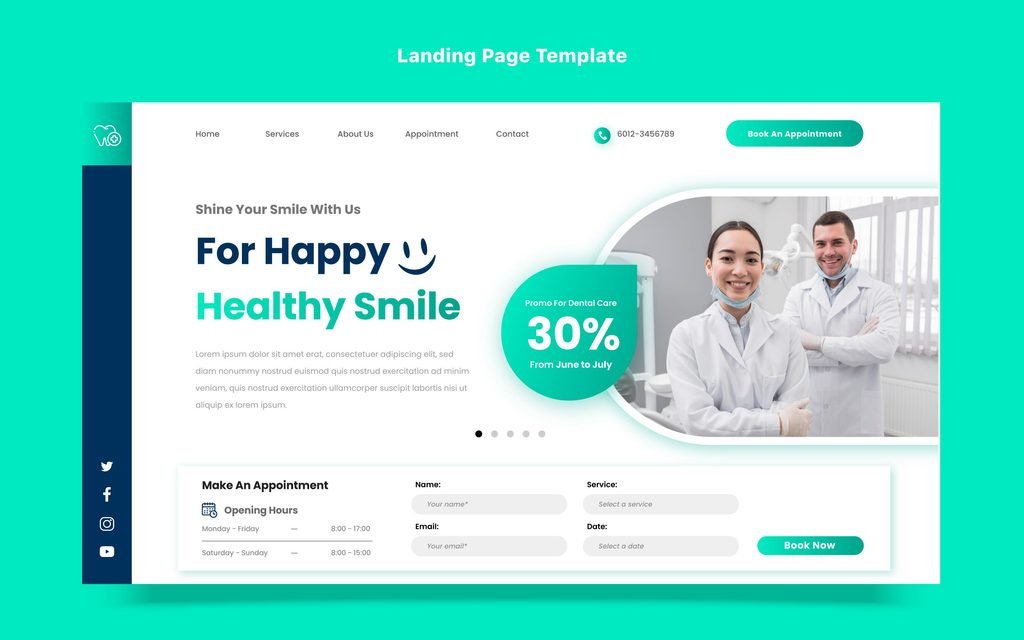
A trustworthy booking form is short, secure, and clear about what happens to the patient’s details. Aesthetic treatments are personal, so people hesitate before they share a name, a phone number, or an email address. Small signals on the form can reassure them or put them off. This guide explains what builds trust, shows example wording, and covers the privacy and payment points that matter most.
Why Trust Matters on a Form
A form asks for something valuable: personal information. Before a patient types it in, she asks quiet questions.
- Is this a real clinic?
- Who will see my details?
- What will they do with them?
- Will I be pestered afterwards?
- What happens if I change my mind?
If the form doesn’t answer these, some people leave. Our post on booking form abandonment covers the wider set of barriers. Here, we focus on trust.
Signal 1: A Secure, Professional Setup
Technical basics create the first impression.
- Secure connection: The page should load over HTTPS, with a valid certificate. Browsers warn visitors about insecure forms, and a warning can end the visit at once.
- No browser warnings: Fix mixed-content errors and expired certificates.
- A clean address: The form should sit on your own domain, or on a booking page that clearly shows your clinic’s name.
- Working links: Broken links and error messages look careless.
- A tidy design: Consistent fonts, colours, and spacing signal a professional clinic.
Ask your developer to check these basics regularly. Certificates expire, and plugin updates can break forms.
Signal 2: Third-Party Tools That Look Like Part of Your Clinic
Many clinics use external booking or form tools. However, an unfamiliar-looking page can feel risky.
- Add your logo, colours, and clinic name to the booking tool, where it allows branding.
- Use a custom domain or subdomain, if the provider offers it, so the address looks familiar.
- Embed the form on your own page where possible, with a clear heading and your contact details beside it.
- Explain briefly if the tool belongs to a partner, such as “Bookings are handled securely through our scheduling provider.”
- Check that the tool works well on phones.
Before you choose any provider, review its privacy terms, where it stores data, and whether it suits healthcare use. Ask a qualified adviser if you’re unsure.
Signal 3: Ask Only for What You Need
Every extra field reduces trust, because people wonder why you need it.
- Keep to the essentials, such as name, a way to reach them, and the treatment of interest.
- Make everything else optional.
- Avoid asking for health information in an open form. Collect medical history later, in a secure patient system, once the person becomes a patient.
- Don’t ask for date of birth, address, or identity details unless you truly need them at this stage.
- Avoid asking for payment details before they’ve even spoken to you, unless a deposit is part of your process and you’ve explained it.
A short form feels safer. It also converts better.
Signal 4: A Clear Privacy Note Near the Button
A short note beside the submit button reassures people at the exact moment they hesitate.
Here are two examples of plain wording. Adapt them to your clinic and your local law.
“We use your details only to reply to your enquiry and arrange your consultation. We don’t share them for advertising. Read our privacy policy.”
“Your message goes to our reception team. We’ll reply within a few hours during opening times.”
Keep the note short, and link to your full privacy policy. Then make sure the policy is clear, current, and written in plain language. Rules about what you must say vary by country, so ask a qualified adviser to review it.
Signal 5: Separate, Honest Consent for Marketing
Marketing consent affects trust more than most clinics realise.
- Keep marketing consent separate from the enquiry itself.
- Leave the box unticked.
- State what people will receive and how often, such as “Occasional skin care tips and news. Unsubscribe any time.”
- Never make marketing consent a condition of getting a reply.
- Honour unsubscribe requests promptly.
Surprise marketing emails break trust fast. Our post on email newsletters explains consent in more detail.
Signal 6: A Promise About What Happens Next
Uncertainty feels risky. So tell people what to expect.
- State your reply time, such as “We reply within a few hours during opening times.”
- Explain the next step, such as “We’ll call or email to arrange a free consultation,” if that’s accurate.
- Say who will contact them, such as your reception team or a named coordinator.
- Describe any cost clearly, including whether the consultation is free.
- Send an automatic confirmation, so people know their message arrived.
Then keep every promise. A missed reply time damages trust more than having no promise at all.
Signal 7: Human Elements
People trust people. So add a human touch near the form.
- Show a photo of your reception team or practitioner, with permission.
- Add a name, such as “Your enquiry goes to Priya, our patient coordinator.”
- Include your clinic’s address and phone number beside the form.
- Offer an alternative, such as “Prefer to talk? Call us on [number].”
- Use friendly, plain language, not legal jargon.
Our post on patient trust explains why these touches matter.
Signal 8: Proof Close to the Form
Reassurance works best when it sits beside the decision.
- Show a short, honest review, with permission.
- Display practitioner qualifications or professional memberships, where relevant and genuine.
- Mention your registration details, where your rules require or encourage them.
- Link to your full reviews.
Keep the proof modest and real. Never invent reviews or exaggerate credentials. Our post on patient reviews for website traffic covers the rules.
Signal 9: Transparency About Deposits, Fees, and Cancellations
If your process includes payment, clarity is essential.
- State any deposit amount, and what it covers, before the patient reaches the payment step.
- Explain your cancellation and rescheduling policy in plain words.
- Use a recognised, secure payment provider, and show that the payment step is secure.
- Avoid hidden fees and surprise charges at the last step.
- Confirm payments with a clear receipt.
If a consultation is free and no payment is needed, say so. That clarity removes a common worry.
Signal 10: No Pressure, No Tricks
Pressure tactics undermine trust.
- Avoid fake countdown timers and false scarcity, such as “Only one slot left” when it isn’t true.
- Avoid guilt-based wording on buttons or pop-ups.
- Don’t pre-tick boxes that sign people up to something.
- Don’t hide the close button on pop-ups.
- Keep wording honest and calm.
Many regulators restrict pressure tactics in healthcare advertising. Check your local rules.
Signal 11: Clear Error Handling and Confirmation
How the form behaves shapes trust.
- Show error messages next to the relevant field, in plain words.
- Keep what people typed, so they don’t start over.
- Show a clear confirmation message after submission.
- Send a confirmation email or text.
- Make sure the form really works, because a form that silently fails feels careless.
Test it every week, on a phone and a computer. Our post on booking page speed explains how to keep the page quick.
Signal 12: Accessibility
Accessible forms feel more welcoming to everyone.
- Label every field clearly.
- Use readable text and enough colour contrast.
- Make the form work with a keyboard and screen readers.
- Give buttons descriptive text, such as “Request a consultation”.
- Avoid spam checks that are hard to solve.
A Trust Checklist for Your Form
Use this table to review each form.
| Area | What to check |
|---|---|
| Security | Does the page use HTTPS with no browser warnings? |
| Branding | Does the form look like part of your clinic, even if a third party hosts it? |
| Data | Does it ask only for what you need, and avoid health details? |
| Privacy note | Is there a short, plain note near the button, with a link to your policy? |
| Consent | Is marketing consent separate, unticked, and optional? |
| Next step | Does it state who will reply, and when? |
| People | Are there names, photos, or contact details near the form? |
| Proof | Are honest reviews or qualifications nearby? |
| Payment | Are any deposits and cancellation terms clear before payment? |
| Behaviour | Do errors, confirmations, and emails work properly? |
Test and Measure
You can see whether trust changes help.
- Record a baseline. Note the form start rate and the completion rate. Our post on tracking website visitors explains how to track form events.
- Make one change, such as adding a privacy note or a reply promise.
- Wait a few weeks, so you collect enough submissions to compare.
- Compare the completion rate before and after.
- Ask patients whether anything made them hesitate.
If your traffic is small, make several clear improvements together, and compare the before and after. Our post on website conversion rate explains how to read the numbers fairly.
Privacy and Rules
Clinic forms collect personal data, so extra care is needed.
- Follow the data protection and marketing consent rules in your region.
- Collect the minimum personal information you need.
- Gather health information only through secure, approved systems.
- Keep names, contact details, and health details out of analytics, page addresses, and event labels.
- Check how your form and booking tools store and share data.
- Limit staff access, and remove it when people leave.
- Follow your regulator’s rules on advertising treatments and handling enquiries.
- Never give personal medical advice in replies. Invite people to book a consultation instead.
Rules vary by country. Ask a qualified adviser to review your forms.
Common Mistakes
- Using an insecure or broken page. Browser warnings end visits.
- Hiding behind an unbranded third-party page. Patients wonder who they’re dealing with.
- Asking for health details too soon. This feels intrusive and risks privacy problems.
- Skipping the privacy note. People wonder what happens to their data.
- Pre-ticking marketing boxes. This breaks trust and may break rules.
- Making promises you don’t keep. A missed reply time hurts.
- Springing fees at the last step. Surprise costs drive people away.
- Using pressure tactics. Fake urgency backfires.
- Never testing the form. Silent failures cost enquiries.
The Takeaway
A trustworthy booking form is secure, short, and clear. It asks only for what it needs, explains what happens to the data, and promises a specific next step. It also shows real people, honest proof, and transparent costs, and it avoids pressure tactics. Test the form every week, keep health details out of open forms, and follow privacy and advertising rules. These small signals help hesitant patients feel safe enough to enquire.
Want a booking form that patients trust? [Book a free website audit] and we’ll review your forms, privacy wording, and booking path.