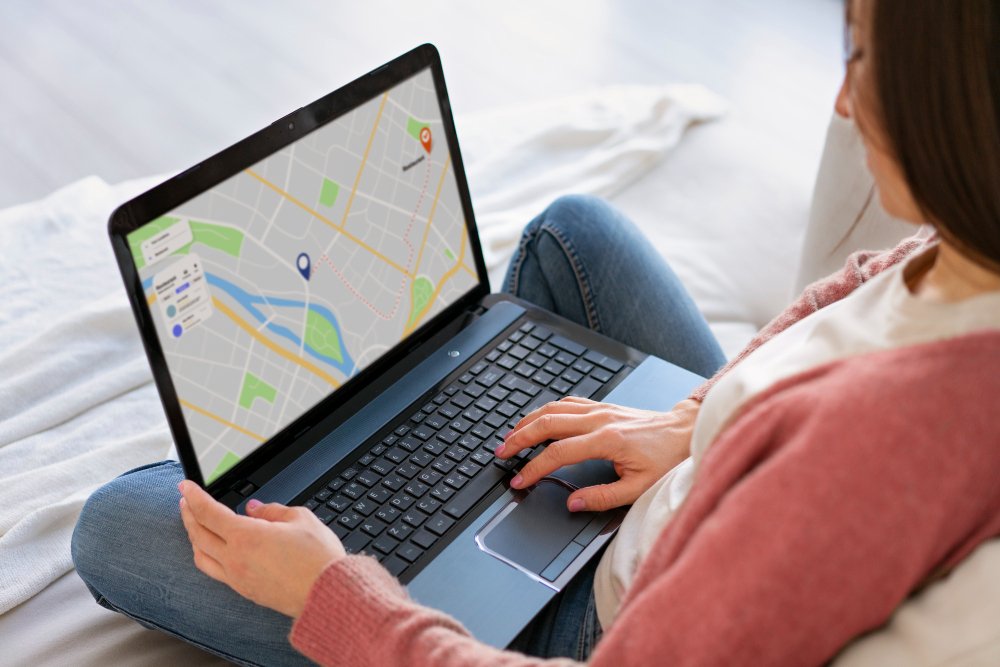
Traffic from Google Maps starts when someone finds your clinic on the map and taps your website button. To earn those taps, your listing must appear, look trustworthy, and point to the right page. This guide explains how people use the map, how to set up your links, and how to track the visits you gain. It focuses on the click path from map to website.
How Patients Use Google Maps
People open the map in several ways.
- They search for a treatment, such as “microneedling near me”.
- They search for a type of clinic in an area.
- They search your clinic’s name to check hours or directions.
- They browse the map after a friend recommends you.
At that point, they see a pin, a name, a rating, and a few buttons. Then they choose. Some call. Some ask for directions. Others visit your website. So your goal is to be visible, appealing, and clear about the next step.
Why Map Visits Matter
Map users are often close to acting. They’re nearby, they’re looking for a specific service, and they’re comparing options. As a result, map visitors can be high-intent.
However, many map users never reach your website. They call or get directions instead. That’s fine, because those are valuable actions too. Still, the website visit often builds the trust that leads to booking.
Our post on Google Business Profile traffic covers the profile as a whole. Here, we focus on the map click path.
Step 1: Make Sure You Can Appear
Google decides map rankings using many factors. It has said that relevance, distance, and prominence matter. Our post on attracting local patients with Google explains these in detail.
You can’t control distance. However, you can improve the rest.
- Claim and verify your profile. Without verification, you can’t manage it.
- Choose accurate categories. Pick the main category that best describes your clinic, and add relevant secondary ones.
- Add services. List your treatments clearly, following Google’s rules.
- Use your real business name. Stuffing keywords into the name breaks the rules and can lead to suspension.
- Keep details accurate. Your address, phone number, and hours must be right.
- Match details everywhere. Use the same name, address, and phone number on your website and listings.
Step 2: Set the Right Website Link
The website link is the most important button for this goal. Therefore, choose its destination carefully.
- For a single-location clinic, your homepage often works well, if it’s fast and clear.
- For several locations, give each profile its own location page.
- If most map searches are for one treatment, consider a page for it.
- Avoid pointing to a slow page, a pop-up-heavy page, or a page with no booking button.
Next, look for an appointment link option in your profile, if Google offers one for your category. Point it to your booking page. Features and eligibility change, so check the current options.
Step 3: Tag Your Map Links
Without tags, map visits can blend with other Google traffic in your reports. So add UTM tags to the links you set in your profile.
For example, you might tag the website link with a source such as “google”, a medium such as “organic”, and a campaign name such as “gbp”. Use consistent names, and keep a record of them.
Use a different tag for the appointment link, so you can compare. Our post on driving traffic from Instagram explains how UTM tags work. Our post on tracking website visitors covers the reports.
Keep names, emails, and health details out of tags and page addresses. Check your region’s rules before you track visitors.
Step 4: Fill Out Every Section
A complete listing looks more trustworthy and answers questions before people click.
- Description: Explain who you help and what you offer, in clear words.
- Services: List treatments accurately.
- Hours: Include holiday hours, and update them when they change.
- Photos: Add clear photos of your reception, treatment rooms, team, and exterior, with consent for any people shown. Fresh photos help.
- Attributes: Add any that apply, such as accessibility options.
- Contact options: Check your phone number and any messaging options.
Avoid misleading images and claims. Check Google’s current guidelines, and your regulator’s rules on advertising treatments.
Step 5: Earn Honest Reviews
Reviews influence both ranking and clicks. Ask every patient honestly, and make it easy with a direct link. Never offer rewards, never gate reviews, and never write your own. Reply to each one, and never reveal patient details.
Our post on patient reviews for website traffic explains how to do this properly.
Step 6: Post Updates and Answer Questions
Fresh activity shows that your clinic is active.
- Share updates, such as new treatments, events, or opening hours. Follow Google’s content policies and your advertising rules.
- Link posts to a relevant page, where the platform allows.
- Answer common questions, and monitor your profile for new ones.
- Respond to messages promptly, where you’ve enabled them.
Features change, so follow the current options in your profile.
Step 7: Make the Landing Page Ready
A map click only helps if the page works.
- It should load quickly on a phone.
- It should show your address, hours, and phone number clearly.
- It should have a clear booking button.
- It should match what the map promised.
- It should include local detail, reviews, and practitioner qualifications.
Our posts on mobile load times and booking page speed explain how. Visitors who arrive by map often use phones, so test on one.
Step 8: Support the Map With Local Signals
Your wider online presence helps your profile.
- Build a clear, useful website with a page for each treatment. Our post on treatment page SEO explains how.
- Earn links from local partners and directories. Our post on getting other websites to send traffic explains how.
- Keep other listings accurate, such as Apple Maps and Bing Places.
- Take part in local events and community activity. Our post on increasing local website traffic covers the wider plan.
Step 9: Track What the Map Sends
You can use several sources to see results.
- Google Business Profile performance data: Check views, calls, direction requests, and website clicks. Menus change, so follow the current layout.
- Google Analytics: Look at visits from your tagged links. Also compare landing pages and enquiries. Some map visits may still appear in other channels, so treat the numbers as a guide.
- Google Search Console: Watch branded and local searches.
- Booking and enquiry records: Count bookings that came through map actions.
- Patient questions: Ask new patients whether they found you on the map.
Our post on where website visitors come from explains how to read channel reports. Our post on Google Search Console explains the search side.
What the Numbers Mean
| What you see | What to try |
|---|---|
| Many views, few website clicks | Improve photos, reviews, description, and the link destination |
| Many website clicks, few enquiries | Fix page speed, the booking button, and content |
| Many calls, few website visits | That may be fine, but check that call handling is strong |
| Falling views | Check your category, hours, reviews, and any listing issues |
| Wrong-area visitors | Check your service area and content |
| Tagged visits low but direction requests high | Make the website offer more reasons to click |
Review the numbers monthly, and compare each month with the same month last year.
Know the Rules
Clinic marketing is regulated, and the rules differ by country.
- Follow Google’s guidelines for business names, categories, photos, posts, and reviews.
- Don’t use fake locations, fake addresses, or fake reviews.
- Avoid guarantees and exaggerated claims.
- Get written consent before you share patient photos or stories.
- Never reveal patient details in replies or messages.
- Follow your regulator’s rules on advertising treatments.
- Follow consent rules before you track visitors.
- Keep names, emails, and health details out of page addresses and tracking labels.
Ask a qualified adviser if you’re unsure.
A Simple 30-Day Plan
- Week 1: Check your details, categories, and services. Then fix anything wrong.
- Week 2: Choose the best landing pages, and add UTM tags to your website and appointment links.
- Week 3: Add fresh photos, update hours, and ask patients for honest reviews.
- Week 4: Review views, calls, directions, website clicks, and enquiries. Then plan next month’s changes.
Common Mistakes
- Stuffing keywords into the business name. This can lead to suspension.
- Leaving details out of date. Wrong hours lose patients.
- Linking to a slow or confusing page. The click goes to waste.
- Skipping UTM tags. You can’t see what the map sends.
- Ignoring reviews. They affect both ranking and trust.
- Asking only happy patients for reviews. Many platforms prohibit it.
- Sharing patient details in replies. This breaks privacy rules.
- Expecting overnight results. Local visibility builds over time.
The Takeaway
Traffic from Google Maps comes from a complete, accurate listing, a well-chosen website link, and a page that loads fast and invites booking. Tag your links, earn honest reviews, and keep your profile fresh. Then track views, clicks, and enquiries each month. Above all, follow Google’s guidelines and healthcare rules, and keep patient information private.
Want more of your map views turning into bookings? [Book a free website audit] and we’ll check your listing links, tracking, and landing pages.